Sign Up to our newsletter for latest updates?
You need to create a form using Contact form 7 plugin to be able to display it using this element.
Starlink India is finally here but do you actually need it?
As we step into 2026, something interesting is happening: your network is no longer just "the thing that makes Wi-Fi work." It's quietly becoming the backbone of almost everything - from the CCTV cameras watching your shop, to sports broadcasting, to the Zoom calls that keep your business running, to backup internet options you never thought you'd need.
If your internet setup still feels like "बस चल रहा है" (until it suddenly doesn't), or if questions like "Should I get Starlink?" or "Do I really need PoE?" are sitting in the back of your mind - this one's for you.
Let's build.
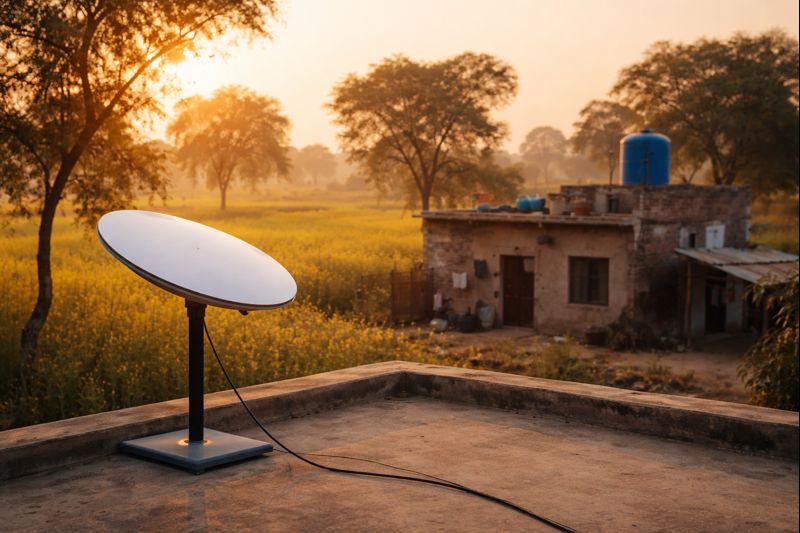
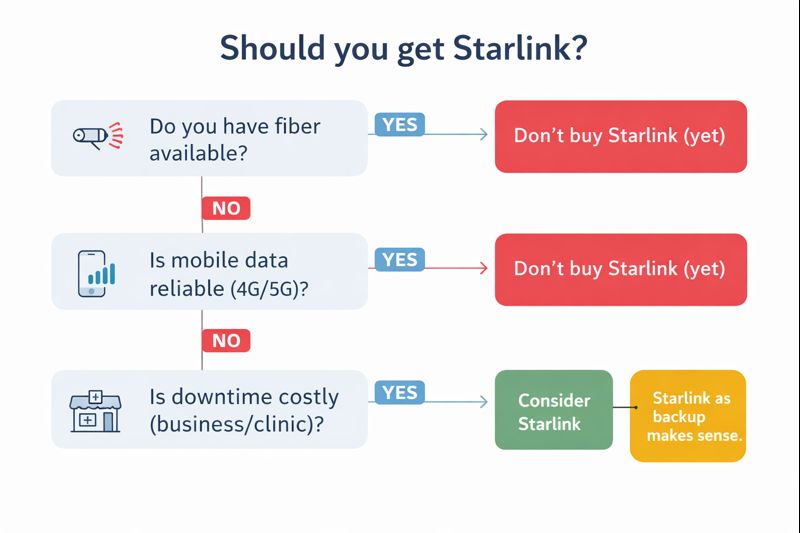
Elon Musk's Starlink satellite internet finally arrived in India with pricing that landed like a surprise no one was waiting for: ₹8,600/month + ₹34,000 for the hardware kit. Unlimited data, no ISP middleman, and you can set it up almost anywhere on Earth that's under open sky.
Sounds revolutionary, right? Here's the reality check.
Starlink is an internet service beamed from satellites orbiting Earth. Instead of waiting for someone to dig fiber to your area, the signal just comes from the sky. That's the real magic - not speed, but reach.
Wi-Fi 7 routers are shipping (from D-Link, ASUS, others), but don't feel like you're missing out. For most homes, your ISP speed and home layout (those brick walls) matter way more than Wi-Fi standard. Wi-Fi 6 is still the sweet spot for 2026.
2.5G networking is becoming normal. If you have a NAS, multiple cameras, or frequently transfer large files between devices, a 2.5G switch is like widening the roads inside your home - even if your ISP's speed remains the same. Files move faster locally.
Old routers are getting hacked. Security bulletins keep popping up for routers that are 5-8 years old from brands like D-Link and Tenda (no patches coming because they're end-of-life). If your router is that age, replacement beats "hope for an update."
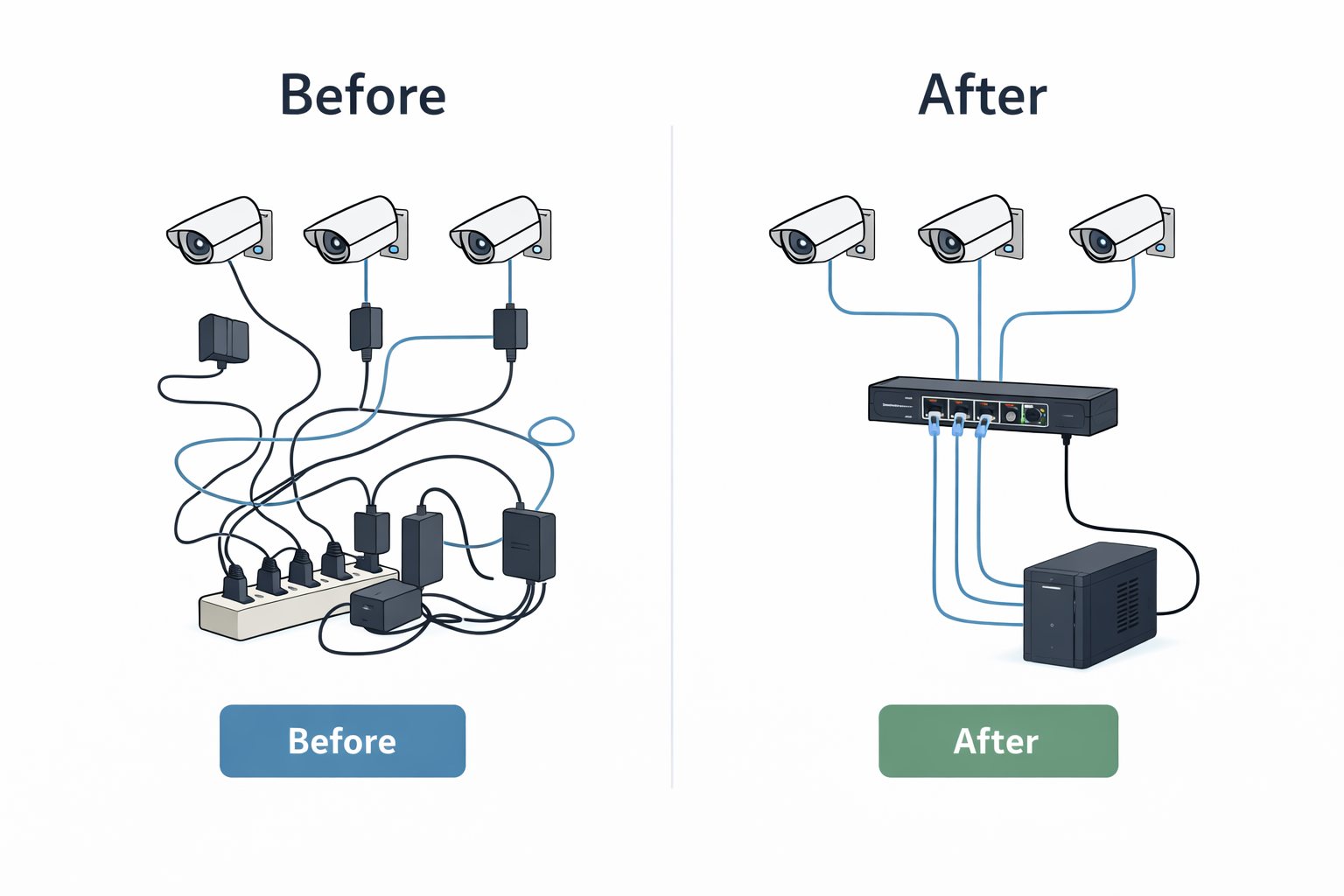
PoE stands for "Power over Ethernet." In simple terms: one cable to your camera or Wi-Fi access point carries both internet AND power. Instead of two separate cables and two power bricks, you get one clean cable.
That's it. That's PoE.
You have 3 or more cameras or ceiling Wi-Fi access points needing power.
Why it matters: if you buy a PoE switch, you avoid:
In short: if your setup corner looks like a phone charger shop, a PoE switch is your "one purchase that fixes everything" move.
You only have 1 or 2 devices that need PoE (one gate camera, one ceiling AP).
A single PoE injector (₹500-₹1,000) works fine. You don't need the full switch.
If 'fix CCTV' or 'tidy networking rack' is on your 2026 vision board, this helps you tick that box for a lot less.
Extra 5% OFF (up to ₹500 on a min order of ₹5000) exclusively on PoE switches. Checkout PoE switches here.
Code: POWER2026
Valid till: Jan 31, 2026
Hit reply if you're unsure whether you need a switch or injector-just tell us how many cameras/APs you're planning, and we'll point you to the right (and cheapest) option.
If "switch to 5G" or "add a backup 5G line" is on your 2026 vision board, we just published a simple guide that covers:
If you're curious about whether a 5G router makes sense for you and which one to buy, give it a read: 5G router buying guide
If you've ever watched an IPL match, you know that feeling when a catch gets replayed from three angles in slow motion.
If you play gully or box cricket, that almost never happens. Your best catch, your fastest over, your winning six - they live only in people's memory and WhatsApp stories for a day or two, then they're gone.
Khelbox and Quicklive are trying to fix that. Not with a TV truck. Not with fancy cinema cameras. With something most people think of as boring: a CCTV camera, a smart app, and a solid network underneath.
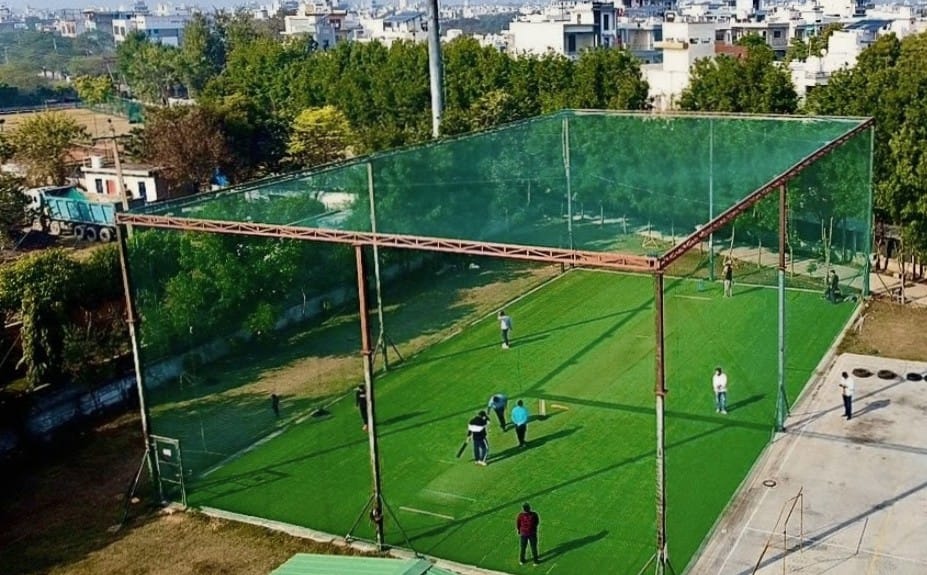
At Khelbox's box-cricket arena in Rohtak, a typical setup looks like this:
That's it. No broadcast van. No huge crew. A budget broadcast kit built out of the same parts you'd use to secure a shop.
The real proof came when Quicklive became the official broadcast partner for Gully Premier League (GPL) - a tennis-ball cricket tournament in the North India circuit.
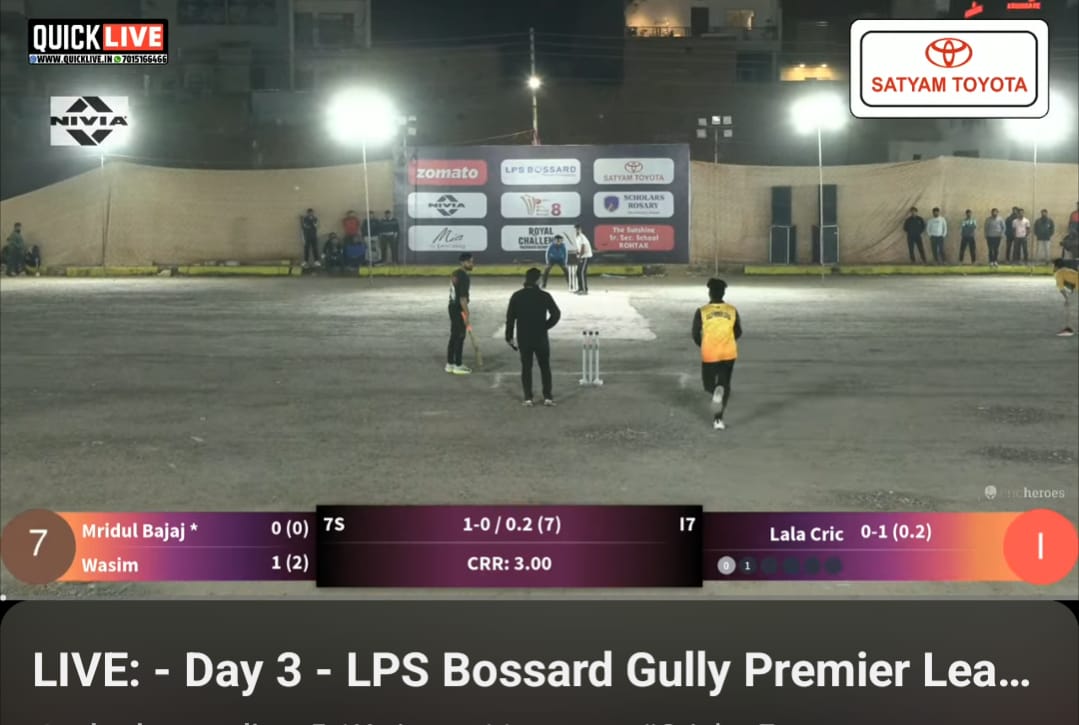
GPL streams are now consistently hitting 5-digit viewership — a solid number that proves people care. But the real surprise? Peak streams reaching 160,000+ viewers. A number that feels normal for pro cricket, but would have been unthinkable for tennis-ball cricket.
Here's what's more interesting: those viewers aren't just from Rohtak or Delhi. They're spread across India (top), Pakistan (strong second), the US, Europe, and beyond. A tournament that used to be "known only to people who played in it" is now watched globally. Not because it got expensive. Not because it has a celebrity crew. Because a High Definition CCTV with a custom-built enclosure - was perfect for the job and had the courage to stand against the unfavourable environment on the ground, with harshest sunlight, rains and the typical north Indian cold, a generic camera setup would die in days.
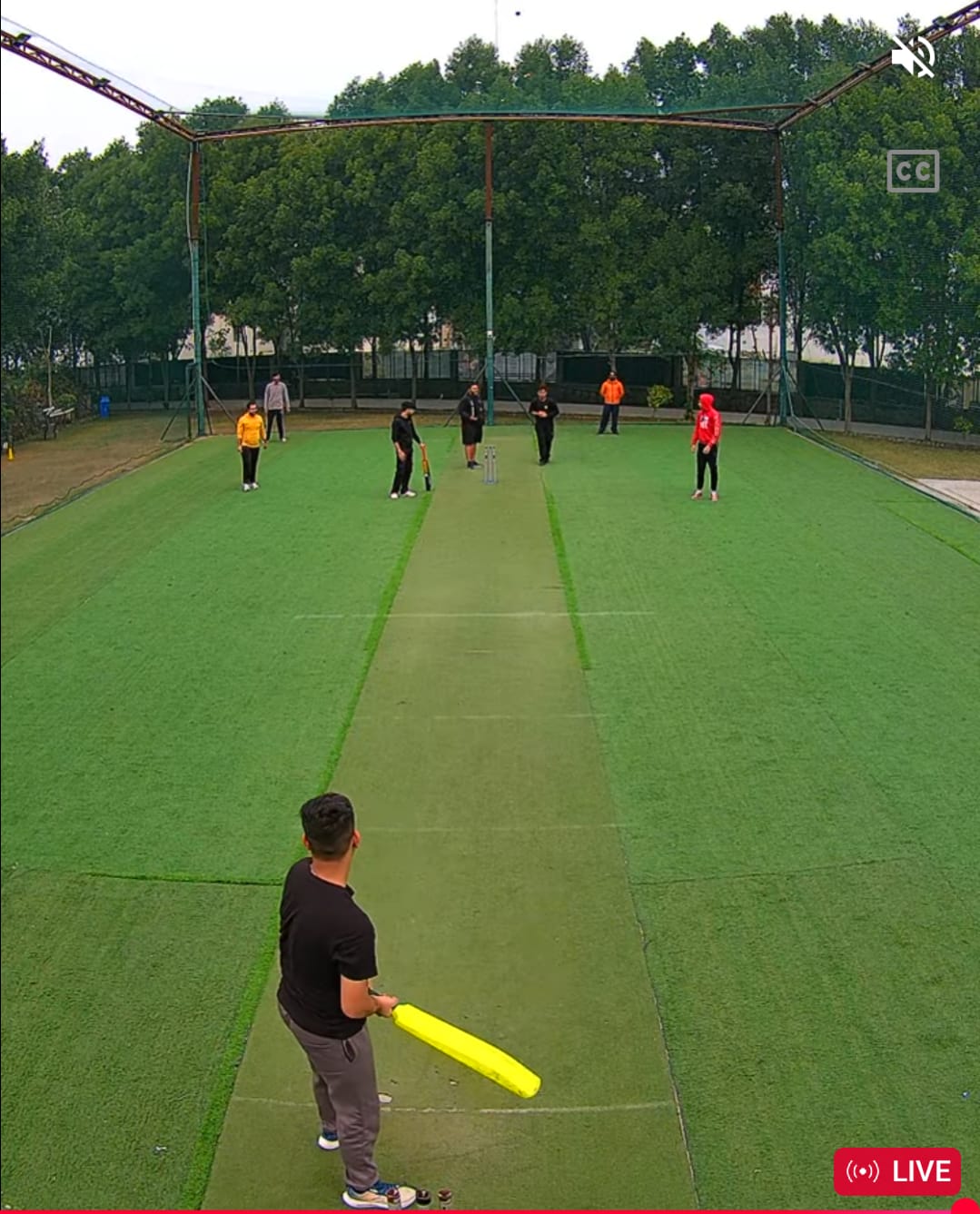
People watch live. Players save clips and repost them. Sponsors take notice. And a local league gets the legitimacy it deserves - all from networking that works, not gear that's fancy.
The real hero isn't just the camera. It's the network behind it - clean power to every camera, enough upload to keep the stream stable, and a simple workflow so editors can turn raw footage into shareable clips.
In this issue we've talked about Starlink, PoE switches, and 5G routers. Khelbox + Quicklive are a great example of why all that matters: when your network is solid, even "boring" hardware can create something that feels truly professional.
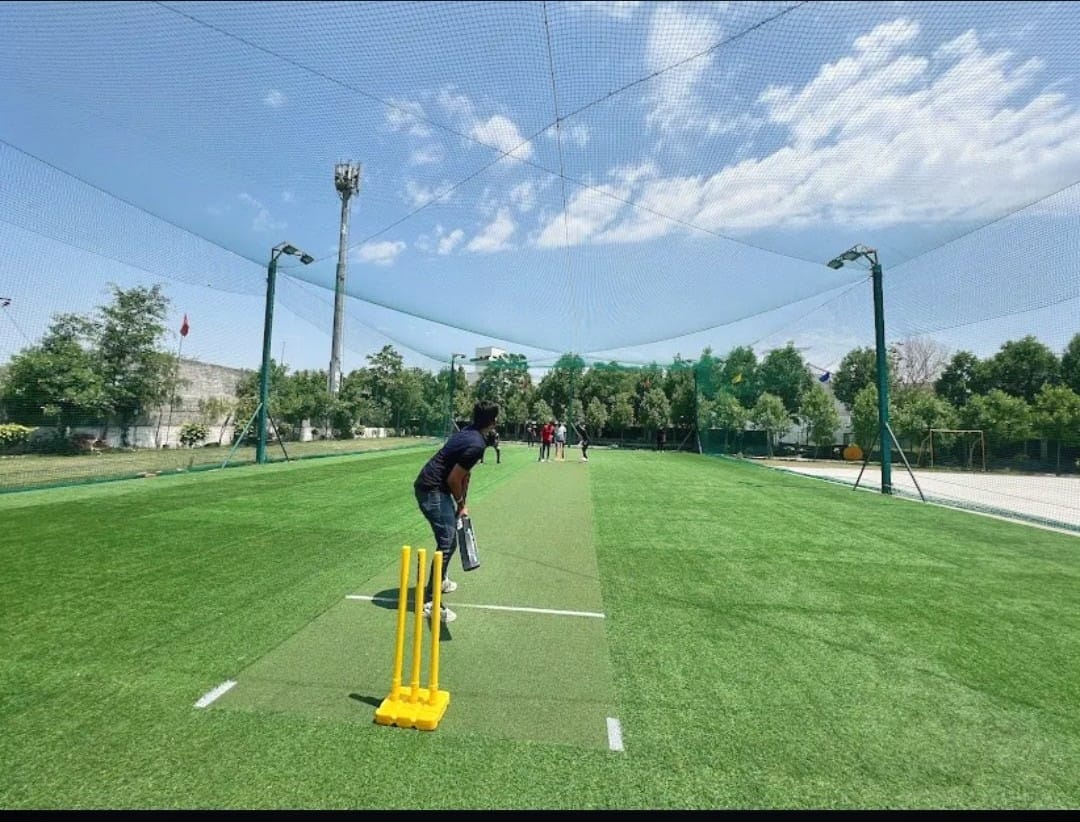
If you run an academy, coaching centre, or tournament and want to build something similar, hit reply and tell us your current setup. We're happy to help you sketch your own 'broadcast kit' with the right mix of cameras, PoE, and connectivity. And if you're wondering 'how do I actually send a CCTV feed to YouTube?' — we made a video for exactly that: IP Camera Live Streaming Setup Guide
If you enjoyed this, we're building this community on Instagram and YouTube as well. The mission is the same: simpler tech, zero hype. We want to build this with you, for you. Join the crew on Instagram and YouTube
Got a setup, a question, or a headache that's been bothering you?
Reply and tell us:
We'd love to feature one reader setup in Issue 3 with a practical "what to fix first" breakdown just for your situation.
How did you feel about the 2nd issue of Tech Tomorrow?
|
😍 Loved it, more like this!
|
🙂 Good, could be better
|
😕 Didn't click with me
|

 HD Cameras and Webcam
 Projectors and Speakers
 VOIP Phones and Gateway
 Access Control
 LTE and 5G Devices
 Smart Sensors And Automation
 Fiber and SFP Modules
 Firewall & Cloud Controllers
 Network Adapters and Accessories
 Network Switches
 PoE Switches
 Point To Point Wireless Radio
 Routers
 Wireless Access Points
 IP Cameras
 Memory Cards
 NVR
NVR Smart WiFi Cameras
 Storage Devices
 Desktop & Laptop RAMs
 Internal and External Hard Drives
 NAS Storage & Enclosures
 SSD and NVMe Drives
 USB Flash Drives